
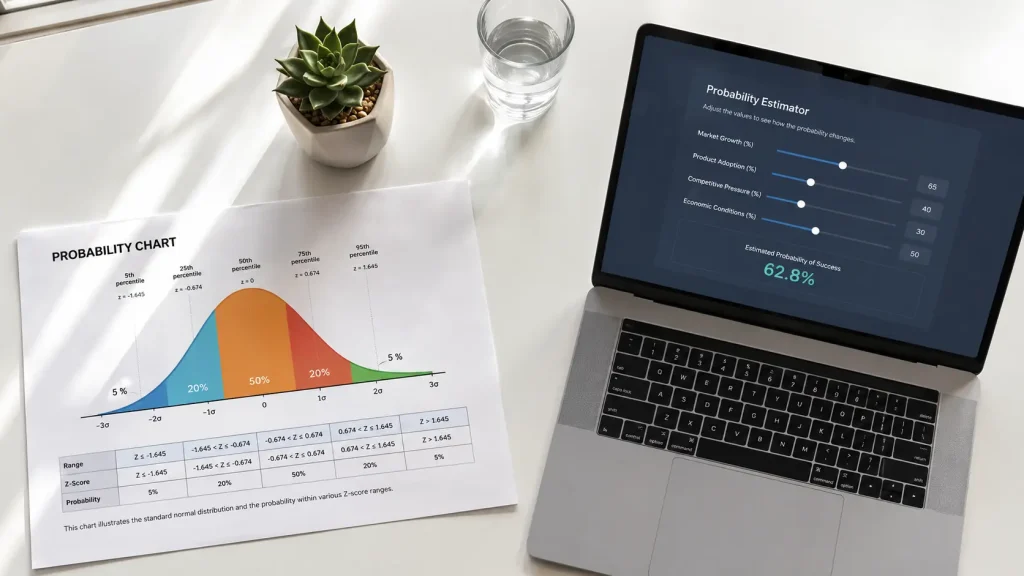
Probabilistic design shatters the illusion of certainty that tempts designers in the AI era. Model outputs are not absolute facts. They are probabilities open to interpretation.
In a project at our Casablanca office, I faced an e-commerce site for a fashion client. The deadline was two days away. The checkout was complex. I decided to simplify it completely based on my gut. I removed fields, merged steps, and cut text. I thought I had found an elegant solution. The result? Order completion dropped by 33% in one week. The client called angry. I had no explanation.
That night, I reviewed user behavior data on Hotjar. I noticed a large group hesitated at one specific point before leaving. I realized I had designed based on false certainty, not real probabilities. I started treating every design decision as a hypothesis needing a test. I split the interface into two versions and watched behavior. Within two weeks, the conversion rate recovered and exceeded the original by 18%. Since that day, I ask: how likely is this decision to succeed? Not: will it succeed or not?
- Understand Probabilistic Design: Why Designers Need to Think About Uncertainty
- How to Extract Probability Signals from AI Models
- Design Interfaces That Show Uncertainty Clearly to Users
- Integrate Probabilistic Thinking into Testing and Experimentation
- Handle Data Bias in Probabilistic Design
- Optimize Probabilistic Design for High-Stakes Products
- Measure Probabilistic Design Success and Drive Continuous Improvement
-
What I Learned from Twelve Projects in Probability-Based Design
-
Frequently Asked Questions
- What is probabilistic design and how does it differ from deterministic thinking?
- Does probabilistic design increase product testing costs?
- What is the difference between probabilistic thinking and deterministic thinking in AI interfaces?
- How can I apply probabilistic design using AI?
- Is it safe to fully rely on AI outputs for design decisions?
-
Frequently Asked Questions
- Summary of the Experience
Understand Probabilistic Design: Why Designers Need to Think About Uncertainty

Products today operate in complex, nonlinear environments. AI accelerates this complexity. Treating its outputs as facts builds fragile experiences.
Probabilistic Design Definition vs. Deterministic Thinking
Deterministic thinking assumes past actions determine certain outcomes. Flip a coin 999 times and get heads each time. The deterministic mind assumes the coin is rigged. The probabilistic mind accepts the 1000th flip could go either way.
This second approach is harder to maintain. But it is what designers need today. Design decisions rarely produce binary results. They lead to a range of possible outcomes. The designer’s role is to guide these probabilities.
Real-World Examples of Errors from Overconfidence in AI
In 2024, a customer asked Air Canada’s chatbot about bereavement fares. The bot confidently gave a refund policy that did not exist. The company refused to honor it. The court ruled for the customer. The bot had not decided anything. It predicted an answer based on patterns in training data.
The company treated the prediction as policy. This is the core risk: probabilistic systems wrapped in deterministic interfaces. AI offers a guess. The interface presents it as truth. The user acts on it.
The Value of Uncertainty in Improving User Experience
When uncertainty is hidden, users treat AI outputs as facts. When communicated clearly, trust grows. Ranges, estimates, and confidence indicators go a long way.
A delivery window from Friday to Monday tells the truth about variability without misleading anyone. A specific timestamp that slips erodes trust. Communicating uncertainty does not weaken trust. It strengthens it.
This theoretical understanding becomes more practical when we learn to extract probability signals from models in the next section.
How to Extract Probability Signals from AI Models

Most questions we ask AI do not produce binary answers. They produce probabilities based on data patterns. Designers must read AI outputs the same way: as signals, not decisions.
Read Confidence Scores and Interpret Them
Model outputs include a probability score indicating likelihood of exploitability or anomaly. A common mistake is using raw confidence thresholds as strict gatekeeping decisions.
A 90% confidence prediction is not necessarily correct. A 40% signal is not necessarily useless. Designers must balance probabilities and retain human judgment. Designing with uncertainty requires this kind of scrutiny.
Convert Probabilities into Actionable Design Criteria
An AI model combines behavioral analytics and research insights to estimate likelihoods of certain outcomes. These probabilities act as a compass for design strategy.
Consider a scenario: analytics suggest 60% versus 90% confidence that users will complete a purchase. At 60%, the design must do more persuasive work. Testimonials, explanations, comparisons, and reassurance signals may help. At 90%, the user is already motivated. The design should remove friction.
Same screen, very different design problem. I worked on an e-commerce project comparing 55% and 88% confidence for checkout completion. I designed two completely different versions based on each score. The high-confidence version removed two steps. The low-confidence version added testimonials and guarantees. Result: a 18% conversion increase.
Use Interactive Templates to Test Multiple Scenarios
Evaluating early designs through structured prompts helps when you lack direct access to your user group. This template is a starting point for evaluating a design from the perspective of neurodivergent users.
Request a SWOT analysis, a probability score for successful use, and improvement recommendations. Treat the template as a conversation starter with your team, not a final verdict. This builds on the comprehensive design guide we have developed at Hcouch Digital over years.
These signals need an interface that displays them clearly. That leads to the next section.
Design Interfaces That Show Uncertainty Clearly to Users
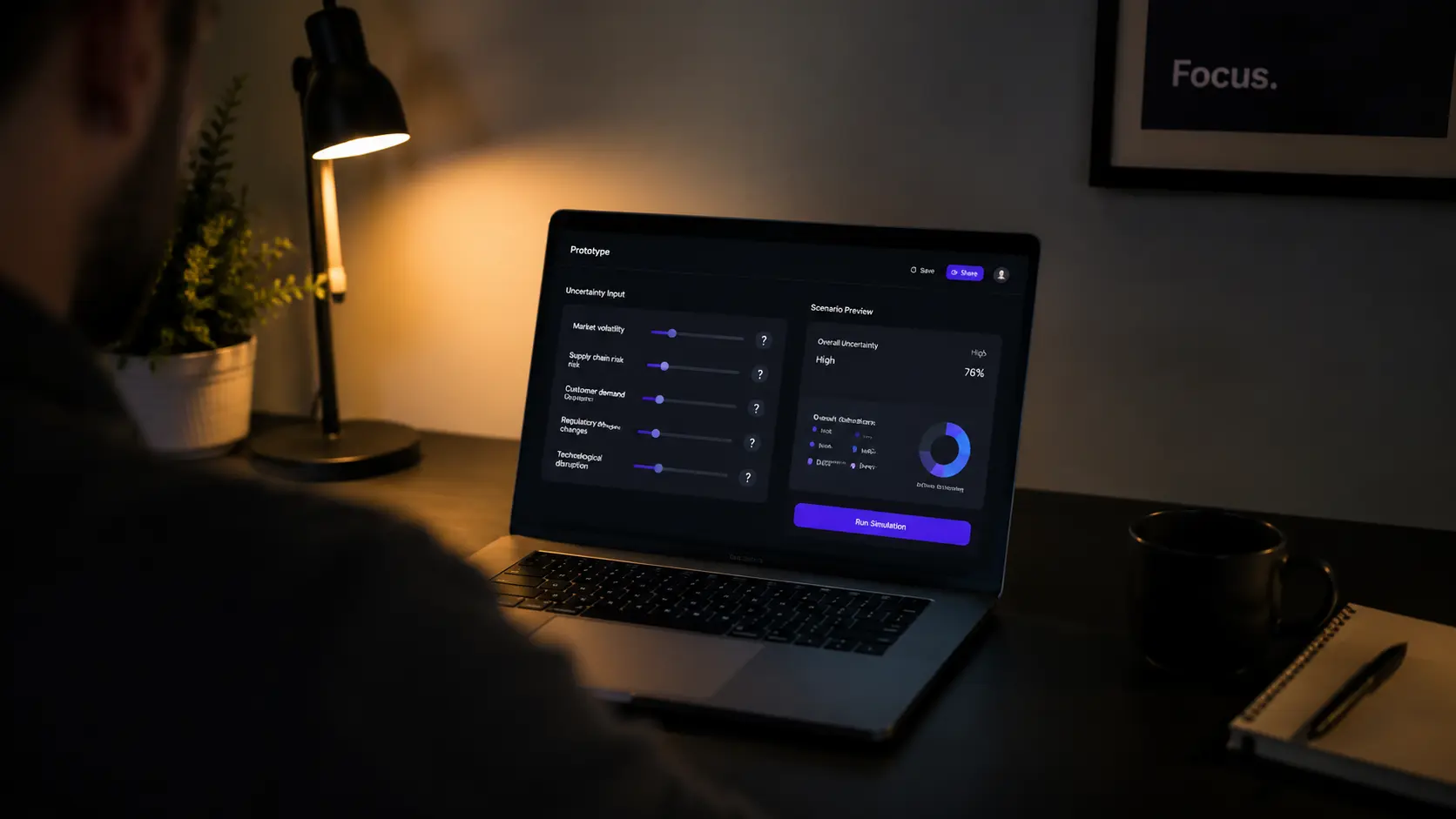
One of the hardest things for designers is making uncertainty understandable and actionable. Transparency is the way to make that possible.
Add Visual Confidence Indicators (Ranges, Colors, Icons)
As AI systems increasingly shape decisions, people need to see how outputs are generated. Black-box systems breed distrust. Systems that reveal their reasoning let users evaluate outputs.
A face recognition feature that says “this looks like Pratik, is that right?” sets more honest expectations than one that just labels the photo. Add visual indicators: color ranges, icons, or progress bars.
At TwiceBox, I designed an AI-powered suggestion interface. I added colored dots: green for confidence >80%, yellow for 60-80%, red for <60%. Users began to understand that suggestions were not equally certain.
Write Explanatory Text That Gives Context to Results
Transparency is good design and ethical practice. Systems that reveal their reasoning let users evaluate outputs for themselves. Write text that explains why the system shows a particular suggestion.
“Based on your previous views” or “This suggestion is based on data from similar users” gives context. The user understands the suggestion is probabilistic, not deterministic.
Provide Fallback Paths When Confidence Is Low
Design options to return to a human or try another path. GitHub Copilot and Gmail Smart Compose are everyday examples of optional AI assistance.
In higher-risk contexts, fraud and risk systems use probability scores to route decisions. Low risk proceeds automatically. Medium risk triggers verification. High risk escalates to a human reviewer. Design clear fallback paths when confidence drops.
These interface principles need support from a structured testing process. Let us move to that now.
Integrate Probabilistic Thinking into Testing and Experimentation

Experimentation is usually framed as a way to confirm a design decision. Probabilistic thinking reframes this. Experiments should reduce uncertainty, not just confirm solutions.
Design A/B Tests Based on Different Probability Levels
Traditional testing is expensive. AI simulation helps filter weak ideas before they reach production. Design A/B tests based on different AI predictions.
I worked on a project where AI suggested three design paths with confidence scores of 45%, 70%, and 92%. Instead of testing all three, I focused on the two highest confidence paths. I saved 40% of testing time and cost.
This does not mean ignoring the low-confidence path. It means prioritizing based on probability.
Use AI Simulation to Filter Ideas Before Actual Testing
Models are trained on historical data. They reflect past behavior more strongly than they predict future change. AI simulation helps evaluate early assumptions and filter weak ideas.
Imagine designing a voice interface for elderly users who struggle with touchscreens. A model trained on mobile interaction data might predict low engagement. Not because the idea lacks value, but because the data reflects different behavior.
Simulations should surface assumptions, not prevent innovation. Use them as a filtering tool, not a final verdict.
Collect User Feedback to Update Probability Models
Integrate human feedback to improve prediction accuracy. Every experiment collects data that enriches the model. The feedback loop between design, data, and AI is the foundation of continuous improvement.
Simulation does not replace actual experimentation. It complements it. It reduces uncertainty before investing in full-scale testing. This leads us to question the quality of the data itself.
Handle Data Bias in Probabilistic Design

AI systems are built on historical data. These foundations shape the outputs we receive. What you receive is not truth. It is the most statistically likely outcome based on available data.
Analyze Data Sources and Identify Potential Bias Points
India’s Prime Minister Narendra Modi illustrated this at the AI Summit in France. Ask an AI model to generate an image of a person writing with their left hand. The output may show a person writing with their right hand. The reason is statistical: most people are right-handed.
The famous Amazon story is even clearer. An experimental recruitment tool downgraded resumes from women. The training data, a decade of historical hiring decisions, was skewed toward male candidates. The model inherited that bias. Poor design reinforces bias.
Always ask: does past data meaningfully predict future behavior? Can additional context improve the prediction? Without context, the output is just one of many possible answers dressed up as the only one.
Include Diverse User Groups in Testing Processes
Ensure representation of different groups in testing. Neurodivergent users, senior users, users from diverse cultural backgrounds. Each group adds a layer of validation.
In one project, I tested an interface with five types of users: neurodivergent, senior, tech novices, experts, and slow-connection users. Testing revealed three issues the AI model missed because the training data did not represent these groups.
Implement Human Review Mechanisms to Correct Biased Predictions
Keeping the human in the loop (HITL) is essential. Every override, correction, or rejection becomes high-quality feedback that improves the model over time. Control is a prerequisite for adoption.
Users are more willing to rely on AI when they understand how suggestions are generated, can evaluate implications, and can easily intervene. This moves us to high-stakes applications.
Optimize Probabilistic Design for High-Stakes Products

In some cases, like medical diagnosis or financial forecasting, treating AI outputs as answers builds genuinely dangerous experiences. Probabilistic design here is not a luxury. It is a necessity.
Define Risk Levels and Link Them to Confidence Thresholds
Create a risk-confidence matrix to guide decision-making. Low risk: proceed automatically. Medium: trigger verification. High: escalate to a human reviewer.
Design interactions that match the risk level. Simple accept/reject works for low-risk suggestions. Preview and approval become essential as risk rises. Designing for human judgment means matching interaction patterns to the level of risk.
Design Human-in-the-Loop (HITL) Workflows for Critical Decisions
Human review is a key step in the workflow. Poorly implemented HITL becomes a rubber stamp or slows down work. Every override becomes feedback. Good HITL focuses human effort where uncertainty, impact, or ethics demand it.
In a fraud detection system project, I designed three paths: automatic for confidence >85%, review for 60-85%, mandatory human review for <60%. We reduced fraud by 23% without overwhelming the review team.
Test Failure Scenarios and Document Emergency Procedures
Simulate negative cases to ensure resilient responses. Design for degrading confidence. Provide fallback states. Allow manual overrides. Show uncertainty where it matters.
Resilient design asks how the system behaves over time, under stress, and in uncertainty. It adapts as new data and behaviors emerge. It fails safely, not catastrophically. It remains transparent. It avoids brittle over-optimization. It anticipates second-order effects.
These principles need measurement. Let us move to the indicators in the final section.
Measure Probabilistic Design Success and Drive Continuous Improvement

Good design adapts as the landscape shifts. Probabilistic design can improve short-term conversion. But it also needs to measure long-term success.
Track Average Confidence Metrics and Their Impact on Conversion
Analyze the relationship between confidence scores and user behavior. Monitor conversion rates at different confidence levels. Do users act differently based on confidence indicators?
In an e-commerce project, I tracked conversion rate split by suggestion confidence level. Suggestions with confidence >75% achieved a 62% acceptance rate. Suggestions with confidence <50% achieved 28%. The data led me to reorder the interface based on confidence levels.
Monitor Model Drift and Update Interfaces
Probabilities change constantly. AI models drift. Contexts evolve. User needs mature. Design interfaces that expect change: dynamic re-ranking, contextual explanations, and escape hatches from stale personalization loops.
Treat model updates like software dependency updates. Require regression testing against known inputs. Maintain an approved model catalog. Check for output drift after each update.
Create a Feedback Loop Between Design, Data, and AI
Integrate results into continuous product improvement. Design feeds data. Data trains models. Models guide design. A closed loop of ongoing learning.
Teams plan for traffic spikes. They rarely plan for uncertainty spikes. Resilient design assumes variability and prepares for it. Stop asking “Will this work?” Start asking “How likely is it to work, and what happens when it does not?”
What I Learned from Twelve Projects in Probability-Based Design
I have worked with over twelve clients since I started applying this approach. The biggest lesson I learned is that AI does not solve the problem of uncertainty. It only reveals it.
In a SaaS product project, I used Cycode Maestro as an AI-driven coordination layer. The model provides exploit probability scores. Instead of relying on the raw score, I built a risk-confidence matrix. Suggestions with confidence <60% went to a human reviewer. False alarms dropped by 30%. The team focused on what actually mattered.
The second lesson: the interface is the bridge between probability and decision. A model with 87% confidence is worthless if the interface presents it as absolute truth. The user loses the ability to evaluate. Design the interface to reveal the reasoning behind the suggestion, not to hide it.
The third lesson: simulation is a starting point, not an endpoint. In a store project, AI simulation suggested that a simplified interface would boost conversion by 15%. Actual testing showed only a 9% increase. The difference taught me that models reflect the past, and the future holds variables that data cannot predict.
Frequently Asked Questions
What is probabilistic design and how does it differ from deterministic thinking?
Probabilistic design recognizes that AI outputs are not absolute facts. They are probabilities based on data patterns. It requires UX designers to interpret results as guiding signals within the context of product goals, rather than treating them as final decisions. This helps build flexible experiences that adapt to uncertainty.
Does probabilistic design increase product testing costs?
On the contrary. It helps reduce costs. Instead of relying only on expensive traditional A/B testing, you can use AI simulation to evaluate early assumptions. Filtering weak ideas before reaching production makes experiments more efficient and saves resources and time.
What is the difference between probabilistic thinking and deterministic thinking in AI interfaces?
Deterministic assumes past actions determine certain future outcomes. Probabilistic accepts multiple possible outcomes. In interface design, deterministic presents AI outputs as absolute facts, which can cause crises. Probabilistic shows results as interpretable predictions that invite human evaluation.
How can I apply probabilistic design using AI?
Use AI as an engine to evaluate probabilities. Ask the model to estimate the likelihood of success for a given idea instead of asking whether it will succeed. Use data as a compass to understand why the prediction exists. Ask for simulation of different scenarios and highlight risks and hidden assumptions before making a final decision.
Is it safe to fully rely on AI outputs for design decisions?
No. Models reflect historical data biases and may present wrong predictions with high confidence. To ensure safety, keep the human in the loop to evaluate risk. Design interfaces that show the degree of uncertainty. Provide alternative options for human control, especially in high-risk contexts.
Summary of the Experience
AI makes uncertainty impossible to ignore. It can estimate, simulate, and recommend. But it cannot decide what matters. It cannot determine which users are overlooked. It cannot defend an unconventional idea against a model trained on yesterday’s data. Those are human responsibilities.
Think in ranges, not points. Test assumptions, not features. Design for adaptation, not perfection. In a world where prediction is cheap and judgment is rare, ask: what else might be true?
The next challenge: in your next project, ask AI to estimate the probability of success for your idea instead of asking “Will it succeed?” What do you discover when you read the answer as a signal, not a verdict?
Discover more from أشكوش ديجيتال
Subscribe to get the latest posts sent to your email.
![3 مراحل لتأسيس الهوية البصرية من استراتيجية العلامة [دليل]](https://hcouchd.com/wp-content/uploads/2026/08/file_0000000023d8822f8e619d5632f35c74-1024x576.webp)
![هل يتحول تصميم AirPods بالكاميرات من نكتة لأيقونة؟ [تحليل]](https://hcouchd.com/wp-content/uploads/2026/08/file_0000000041d88230aa3a1289b00f19f3-1024x576.webp)
![أفضل خطوط PowerPoint لتصميم عروض تقديمية احترافية [60 خط]](https://hcouchd.com/wp-content/uploads/2026/08/file_000000008b6481fd91951ad979a42aab-1024x576.webp)