
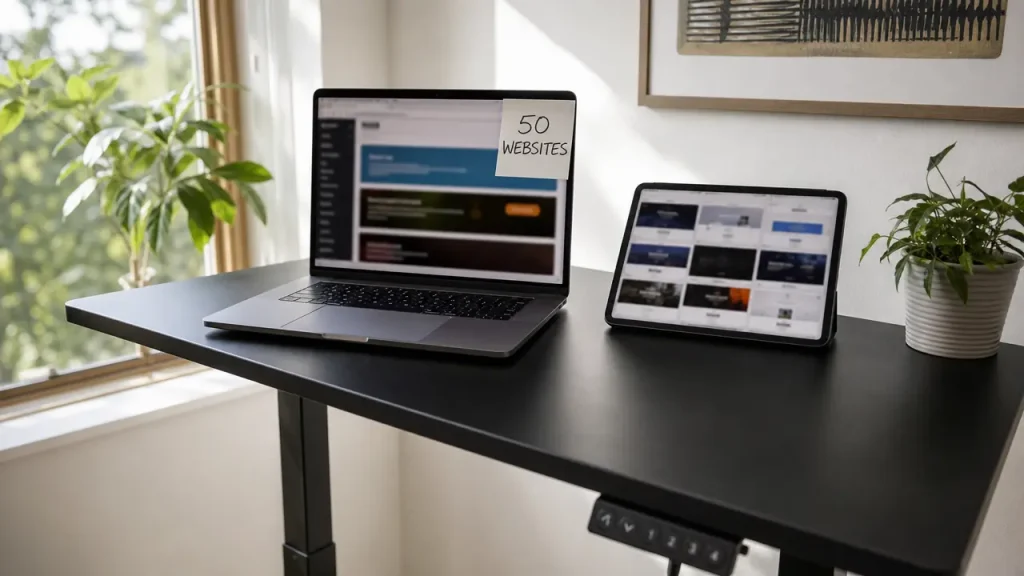
Launching a digital project no longer requires a massive budget. You don’t need months of complex coding. You can use the Hostinger Website Builder to achieve this. This option is a complete game-changer for freelancers and entrepreneurs.
It was 11 PM on a Thursday. Our client in Casablanca awaited the launch of three landing pages. The deadline was 8 AM Friday. I stared at the screen, utterly exhausted. The WordPress templates we prepared had suddenly crashed. The cause was a conflict in the payment gateway plugins. I had no time to write a single line of code. Debugging from scratch was impossible.
I remembered a subscription to an AI-powered platform. I had previously overlooked this tool. I decided to take a risk and opened the platform immediately. The tool offered an easy drag-and-drop feature. I started typing very simple text prompts for the system. The system quickly generated structures and customized colors. In just three hours, the pages were completely ready. The websites loaded extremely fast with free security certificates.
I sent the links to the client before dawn and breathed a sigh of relief. This shift saved me days of stressful coding. Today, I launch 50 websites for my clients at a minimal cost. The subscription costs me only $20 for the entire year. I founded Hcouch Digital because Arab creators deserve knowledge. These shortcuts save projects and protect your precious sleep time.
- A Web Revolution: How Hostinger Website Builder Gives You 50 Websites for a Token Price?
- AI at Your Service: How to Design a Complete Website in Minutes?
- Practical Steps to Launch Your First Website and Master the Control Panel
- Transforming a Simple Site into a Profit Hub Using Analytics Tools
- Hosting Flexibility: Combining the Smart Website Builder with Professional WordPress Management
- Strategy for Efficiently Managing and Scaling a Network of 50 Websites
- Beyond Templates: How I Tailor AI to My Clients’ Brand Identity
- Conclusion
A Web Revolution: How Hostinger Website Builder Gives You 50 Websites for a Token Price?
The hosting world is full of complex and very expensive options. But this offer breaks the traditional pricing rule. We will break down this package to understand its true value.
1.1 Historical Offer Analysis: $20 Annual Subscription Instead of $207
The usual cost to establish a professional website exceeds hundreds of dollars. You need to buy hosting, a theme, and multiple paid plugins. But Hostinger Website Builder completely flips this equation. It combines all these tools in one place.
The annual subscription is only $19.99. This price represents a huge discount from the original price. The base price was $207.94 annually. I have used this offer for multiple business projects. The financial savings were significant for client budgets.
Getting a website builder subscription at this price is rare. It saves you a large budget you can invest in marketing. There are no hidden costs when renewing the first package. You can plan your project finances with complete confidence.
1.2 Who Benefits Most from Building 50 Websites with One License?
Freelancers and design agencies are the primary beneficiaries here. You can host 50 different clients with one account. This dramatically increases your profit margin. The cost per hosted client becomes almost negligible.
Affiliate marketers need multiple landing pages daily. This package allows them to launch campaigns immediately. There’s no need to buy hosting for each new product. You can segment the websites to cover different marketing niches.
Small business owners can continuously test their ideas. You can launch a store, a blog, and an informational site simultaneously. All are managed from the same control panel. Failing one idea won’t cost you significant financial loss.
The financial value of this offer becomes clearer with use. Let’s discover how AI shortens work time.
AI at Your Service: How to Design a Complete Website in Minutes?
Artificial intelligence is no longer just an empty marketing term. On this platform, it’s a real productivity tool. It cuts hours from manual planning and design.
2.1 Automatic Website Generation via Smart Text Prompts
The AI Website Builder tool acts as a personal coder and designer. Simply describe your business project accurately. The system analyzes your request and builds the structure instantly. AI understands the requirements of different industries precisely.
In one project, I requested a website design for a dental clinic. I wrote three lines describing the needed services. Within a minute, the website appeared with its appropriate sections and colors. Sections for appointment booking and patient reviews were included.
This feature eliminates writer’s block. It gives you a strong starting point instead of beginning from scratch. You can later modify any part you dislike. This saves days of creating structural diagrams.
2.2 Instant Customization Using the Drag-and-Drop Visual Editor
The visual editor here requires no programming experience. The interface relies on simple drag-and-drop technology. You can change element positions with a single click. Workspaces are designed to be intuitive and responsive.
Editing text and changing images happens directly on the page. You don’t need to access complex back-end control panels. You see the final result as you edit. This reduces recurring design errors.
This editor maintains website responsiveness on mobile devices. Any edit you make appears correctly on mobile devices. This is a crucial feature for modern user experience. Google’s algorithms penalize non-mobile-friendly sites.
2.3 Generate Industry-Specific Content and Images with One Click
Writing marketing content consumes a lot of freelancer time. The tool includes a smart text generator built into the platform. It writes catchy headlines and professional paragraphs. You can specify the tone suitable for your brand.
The platform also offers an AI image generator. If you lack professional photos, the system will create them. The images are perfectly compatible with your industry. This eliminates the need to buy images from external platforms.
Always review this content before final publication. AI assists you, but the human touch remains essential. This review ensures your brand’s credibility. Verifying information accuracy protects your reputation.
This technical aspect becomes clearer with application. We will now proceed to set up your first project step-by-step.
Practical Steps to Launch Your First Website and Master the Control Panel

The theoretical aspect is great, but execution is what matters. I will guide you through the precise steps to launch your first project. The process is organized and requires no prior experience.
3.1 Register a Free Domain and Activate SSL Security Certificate with One Click
The subscription includes a free domain name for the first year. From the control panel, search for your brand name. Register the domain with a single click. The process of linking the domain to the server is automatic and fast.
Securing the website is a non-negotiable step. The platform automatically activates the free SSL certificate for your site. This protects your visitors’ data and builds their trust. Encryption is crucial when receiving payment data.
Without this certificate, your site will appear as insecure. Google Chrome warns visitors about unencrypted sites. Activating it here requires no complex technical intervention. You won’t need to manually handle server files.
3.2 Choose the Right Template and Modify the Website’s Visual Structure
If you don’t want to use AI, options are available. The platform offers a vast library of ready-made templates. Templates are categorized by industry for easy searching. You can preview a template before applying it to your site.
Choose the template closest to your project’s visual identity. Enter the editor and start changing the main colors. Replace the default logo with your company’s logo. Ensure consistent fonts across all website pages.
I tested this step with a restaurant client. We chose a restaurant-specific template and quickly modified its images. The website was ready to receive visitors within an hour. The menu was linked to direct order buttons.
3.3 Configure E-commerce Settings and Receive Payments for Beginners
Turning your site into a store requires very simple steps. Add a new products section from the side menu. Upload your product images and write detailed descriptions. Accurately set available stock quantities.
Define product prices and available shipping options for your customers. The platform supports multiple secure global payment gateways. Link your bank account or Stripe account easily. Tax settings are automatically programmed based on your country.
You don’t need to buy complex e-commerce plugins. Everything is integrated into the system’s core interface. You can start selling immediately after publishing the site. The customer’s buying experience will be smooth and hassle-free.
Launching an organized website is only half the battle. The other half depends on analyzing data to increase profits.
Transforming a Simple Site into a Profit Hub Using Analytics Tools
Launching a website is just the beginning of the digital journey. True success lies in understanding customer behavior. The platform offers powerful analytical tools to achieve this.
4.1 Manage Inventory and Payment Gateways Without External Plugins
The control panel allows you to track sales accurately. You can see your store’s best-selling products. The system alerts you when any product’s stock is low. This prevents selling out-of-stock items.
Order management happens from a single central screen. You can change order status and message the customer directly. This eliminates the need for costly external systems. Tracking shipments increases customer satisfaction and trust.
Direct integration with payment gateways reduces technical failures. Funds reach your account safely and extremely fast. This feature ensures a consistent cash flow. There are no hidden fees deducted from your net profits.
4.2 Use Heatmaps to Understand Visitor Behavior and Optimize Conversions
The AI Heatmap tool is your secret weapon here. This tool predicts where visitors will look on your site. It shows the most attention-grabbing areas in color. Warm colors indicate high user focus.
I used this map to design a landing page. The tool showed the purchase button was invisible to visitors. I immediately changed its position and color based on the data. I moved the button to the red zone on the map.
This simple adjustment significantly increased sales conversion rates. Ignoring data analysis can lead to disasters, as seen with the recent Kodak stock decline. Decisions based on intuition often fail.
4.3 Built-in SEO Tools to Rank High on Google
Appearing in search results requires precise technical adjustments. The platform offers built-in, easy-to-use SEO tools. You can edit titles and meta descriptions for each page. Keywords are automatically placed correctly.
The system suggests suitable keywords for your content. You can add alt text to images with one click. These steps improve your Google ranking. Organic traffic reduces the cost of paid advertising.
The platform’s high-speed servers support your SEO efforts. Google favors fast websites and gives them better rankings. This ensures continuous, long-term free traffic. Continuous optimization keeps you on the first page.
Your store’s success may require additional capabilities in the future. This is where migrating to a more flexible environment becomes important.
Hosting Flexibility: Combining the Smart Website Builder with Professional WordPress Management

Some projects grow rapidly and require advanced features. The platform doesn’t limit you to the smart website builder. It grants you the freedom to migrate to more powerful content management systems.
5.1 Leverage the Included Managed WordPress Hosting in the Offer
The subscription includes fully managed and optimized WordPress hosting. You can install WordPress with one click from the panel. Servers are equipped to speed up this specific system. Caching technology works by default.
Managed hosting means updates are automatic. The system performs daily backups to protect your data. This removes the burden of annoying technical maintenance. You can focus on content creation and business development.
I worked on a project requiring a complex booking system. I installed WordPress on the same hosting plan. I used advanced plugins without paying for a new server. Performance remained stable despite high traffic load.
5.2 When to Choose the Fast Website Builder vs. Migrating to WordPress?
The platform choice depends on your project’s scale. The smart website builder is ideal for quick landing pages. It’s the best option for personal portfolios and simple stores. Its speed is unmatched by any other system.
WordPress becomes essential when deep code customization is needed. If you require a membership system or an educational platform. Here, WordPress’s diverse plugins outperform the builder. It allows you to connect complex external marketing tools.
The beauty is you aren’t forced into a final decision. You can launch a site with the smart builder to test the market. Then upgrade the system later when the idea succeeds. This flexibility reduces the risks of faltering starts.
Platform diversity simplifies working on many projects. But managing this large number requires a strict strategy.
Strategy for Efficiently Managing and Scaling a Network of 50 Websites
Having the ability to create 50 websites is an advantage. But managing them randomly will become a true nightmare. You must have a rigorous follow-up system.
6.1 Organize the Control Panel to Monitor Multiple Websites from One Place
The platform’s control panel offers a comprehensive overview of your projects. Name each site clearly with the client’s name. Add tags to categorize sites by type and status. This prevents file mix-ups between different projects.
Monitor each site’s resource consumption periodically. The system shows you traffic volume and used storage space. This helps you detect any unusual activity. You can upgrade a specific site’s resources when needed.
At one point, I managed twenty websites together. Good organization of the control panel saved me hours daily. I could update them all with a single click. Quick file access reduces daily stress.
6.2 Utilize 24/7 Technical Support to Resolve Issues Immediately
When managing a large network, technical problems are inevitable. Hostinger’s support team is available around the clock. I contacted them repeatedly via fast live chat. Responses are usually within minutes.
The technical team has permissions to intervene and solve problems instantly. You are not passed between departments that waste your time. This ensures your clients’ websites are back online quickly. Conversation logs are saved for later reference.
Do not hesitate to ask for help when facing an error. Trying to fix server issues yourself might worsen the situation. Technical support exists to protect your client reputation. Utilizing this service enhances your work quality.
This organizational methodology ensures your digital projects’ stability. Which leads me to share a professional secret I discovered through experience.
Beyond Templates: How I Tailor AI to My Clients’ Brand Identity
At TwiceBox agency, I faced a recurring challenge with the smart builder. Clients request unique designs unlike competitor sites. Blindly relying on AI’s first output is a mistake. The system tends to generate very safe and traditional structures.
What I do is use the generator three consecutive times. I request different designs for the same idea each time. I save the distinctive sections from each generated version. Then, I open a blank page and start merging these sections.
Afterward, I manually change the color codes. I precisely match the colors to the client’s visual identity. I adjust element spacing to look more professional and elegant. The result is a unique website that doesn’t look like a template.
Conclusion
Hostinger Website Builder is not just a traditional hosting platform. It’s an integrated workshop that completely removes technical barriers. It empowers you to turn your ideas into live projects at a low cost.
Start today by trying the platform to create one landing page. Test the smart generator’s speed and the visual editor’s ease of use yourself. What tool are you currently using to build your clients’ websites quickly?
Discover more from أشكوش ديجيتال
Subscribe to get the latest posts sent to your email.


