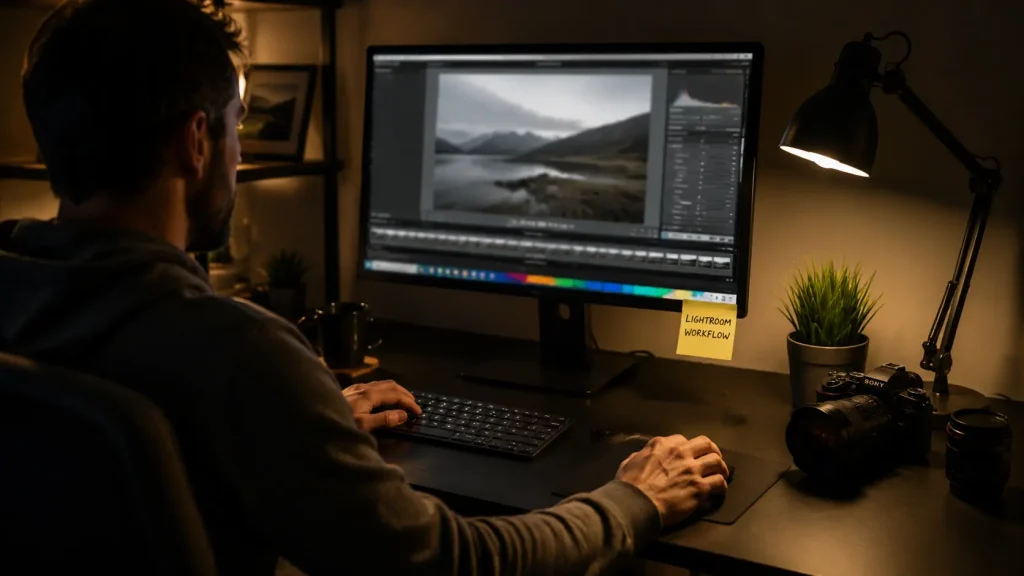
The idea that learning Photoshop is the gateway to professional photography is an old myth. It was 3 AM at our agency in Casablanca. My eyes burned in front of the computer screen. The deadline for a major brand’s photos was 9 AM. I had 800 images waiting for immediate editing. I opened each photo individually in the program. I adjusted lighting, processed colors, then saved them slowly. My computer choked. I knew I would fail. I had always heard mastering this program was the only path to professionalism. But that advice nearly ruined my reputation with the client.
In a moment of despair, I closed the program completely. I dragged the entire folder into Adobe Lightroom Classic. I had only relied on it for minor details. I decided to try the auto-sync settings feature immediately. I carefully edited one photo. Then I applied the result to the rest. I finished the entire project in under two hours. I delivered to the client exactly on time. I received their praise. I realized then that clinging to complex tools is a real trap. That’s why I founded Hcouch Digital. We share these technical shortcuts.
- Why “You Need to Learn Photoshop to Be a Photographer” Is Outdated
- The Integrated Workflow: Why Lightroom Excels as a Photographer’s Organizing Platform
- Needs Analysis by Your Specialty: Where Does Lightroom Stand Alone?
- Advanced Editing Tools in Lightroom That Replace Other Software
- Exceptional Cases: When Do You Actually Need to Switch to Photoshop?
- Gradual Strategy: How to Build Your Skills as a Photographer Without Getting Distracted
- After Processing a Million Photos: The Fatal Flaw in Photo Editing Courses
- Practical Conclusion
Why “You Need to Learn Photoshop to Be a Photographer” Is Outdated
The technical game has changed drastically. Moving between programs is no longer mandatory for photographers.
The Technical Gap Between Yesterday’s and Today’s Tools
Early editing tools were very limited. This limitation forced immediate program switching for simple edits. I worked on an old real estate project. It required merging multiple photos. Navigating between windows took long, tiring hours. The computer constantly froze. High memory consumption was the cause. Today, the software offers a single environment. You can complete all tasks there. You can merge and edit photos without leaving the interface.
The AI Revolution That Changed the Game
Developers integrated AI tools. They simplify complex processes. You can now select skies or people with one click. Algorithms recognize hair and clothing details. This recognition is incredibly accurate. I recently read an article. It confirmed Photoshop is no longer essential for beginners. This development eliminates the need for complexity. It applies to most daily tasks.
This technical evolution leads us directly to understanding the broader ecosystem.
The Integrated Workflow: Why Lightroom Excels as a Photographer’s Organizing Platform
A single pixel editor lacks an organized workflow. The alternative program provides an integrated management system. This system handles massive file volumes.
Catalog Management and Smart File Archiving
The library system helps organize thousands of photos easily. You can classify files using keywords. Smart collections are also useful. I faced a problem losing old client files. This was due to disorganization. I created a smart catalog. It groups photos by capture date. I also added automatic filtering. This filtering uses the lens type. I can now find any file in seconds.
Batch Processing and Time Savings on Large Projects
The sync edits feature is crucial for professionals. You can apply presets to hundreds of photos at once. This saves long hours of repetitive, dull work. You can also copy crop settings. Apply them instantly to other images.
Good organization directly impacts output quality. This is true across different specializations.
Needs Analysis by Your Specialty: Where Does Lightroom Stand Alone?
Editing requirements vary greatly by photography field. The program covers most needs efficiently.
Wedding and Major Event Photography
This program is the only practical choice for event photographers. They handle huge volumes. Fast delivery is essential. I photographed a massive wedding. It had two thousand photos. I used the sync feature. It applied lighting edits to all images. I quickly sorted rejected photos. Keyboard shortcuts helped immensely. I delivered the complete album in just three days.
Nature, Landscape, and Dynamic Merging Photography
The program has superior HDR merging capabilities. You can adjust lighting and shadows. This is possible without complex layers. I merge panoramas directly within the workspace. The software automatically corrects wide-angle lens distortions. This happens before merging.
Street and Daily Travel Photography
This program meets all street and travel photographer needs. It offers effective color and contrast adjustment tools. You can highlight aesthetic details quickly. I often use Tone Curves. This adds a cinematic feel. Some of these photos were easily entered into a global photography competition.
Understanding your specialty reveals the program’s integrated tool power.
Advanced Editing Tools in Lightroom That Replace Other Software
The modern interface includes features once exclusive to advanced programs. These specialized tools eliminate the need for external software.
Smart Masks and One-Click Element Isolation
Isolation techniques allow precise sky or background separation. You can edit each image part separately. I isolated a person from a busy background. This was for a street photo. I completely changed the background color. The edges remained unaffected. Masks also support editing based on light range.
Professional Skin Imperfection and Portrait Retouching
Smart smoothing tools provide excellent facial results. You can enhance features. Whiten teeth quickly and directly. This avoids complex, tedious layer work. You can reduce skin smoothness. Skin pores remain visible.
AI-Powered Noise Reduction Techniques
The AI Denoise tool is incredibly powerful. It rescues photos effectively. It excels at images taken in poor light. The results rival top specialized external programs. The software creates a new, clean DNG file.
Despite this power, technical limits exist.
Exceptional Cases: When Do You Actually Need to Switch to Photoshop?

Some specialized tasks fall outside basic editing. These limits make using advanced software necessary.
Complex Digital Compositing and Image Manipulation
Advertising photographers need to combine elements. They merge different photos. Building unreal scenes requires layers and masks. I worked with TwiceBox on a huge ad campaign. The project involved merging products into complex fantasy environments. We used Layer Masks. This realistically blended shadows.
High-End Fashion and Beauty Retouching
Frequency Separation techniques remain exclusive to advanced environments. Sculpting light at the pixel level needs extreme precision. Basic smoothing tools cannot compete. Fashion clients demand this accuracy.
Graphic Design and Adding Text and Visual Elements
Advanced software plays a key role in graphic design. I use it to combine photos with text and logos easily. It helps create posters and integrated marketing materials. The software offers advanced color printing controls.
Knowing these limits provides a clear learning roadmap.
Gradual Strategy: How to Build Your Skills as a Photographer Without Getting Distracted
Beginners often feel confused choosing a learning path. A systematic approach maximizes your benefits.
Master Lightroom First as a Comprehensive Foundation
Focus on understanding lighting, color, and composition basics. Do this within the organized interface. Avoid complexity initially. This builds a solid foundation for your career. Learn to read Histograms. Avoid losing details.
Just-in-Time, Project-Based Learning
Move to advanced software for specific skills only. Do this when a project genuinely requires it. Avoid trying to learn the entire program at once. This approach maintains your enthusiasm. It prevents mental burnout.
This practical method summarizes my tool philosophy.
After Processing a Million Photos: The Fatal Flaw in Photo Editing Courses
I faced a real disaster covering a major international conference. The hall’s lighting changed annoyingly every five minutes. I tried applying the same edit settings to all photos. The results were disastrous. Light sources differed completely.
I then discovered the hidden Match Total Exposures feature. This feature is in the Settings menu at the top. It calculates lighting differences. It automatically equalizes them accurately.
I applied this feature to 500 photos at once. The process took less than a minute. I achieved perfect light consistency. This required no effort. I recommend trying this feature immediately. Use it in your next project.
Practical Conclusion
Complexity is no longer a measure of professionalism. Choose the tool that serves your vision. Don’t let it drain your time. Open your favorite program today. Try the smart sync feature. What tool consumes your time uselessly?
Discover more from أشكوش ديجيتال
Subscribe to get the latest posts sent to your email.