

Digital privacy is not a luxury for the cautious. It is the first line of defense in a data-driven era. Every single click leaves a permanent trace. We actually control more data than we realize. One evening, I searched my old name online. Pure programmer curiosity drove me to investigate. Development forums from 2014 suddenly appeared. I had completely forgotten about those platforms. Old personal photos resurfaced quickly. Discussions about deprecated PHP versions filled the threads. An email address I had not opened in years showed up. I stared at that old photo carefully. I wondered if that shirt was ever fashionable. I felt a heavy responsibility for that digital mess. I had silently let it grow in the shadows. I immediately audited every single account. I deleted all unused services completely. I tightened every remaining security setting. I enabled two-factor authentication across all platforms. I installed a dedicated password manager. Experience taught me that protecting digital privacy requires conscious practice. It is never a simple one-time task. Otherwise, your digital past speaks for you without permission.
- How to Audit Your Digital Footprint and Protect Digital Privacy
- Best Technical Tools and Settings to Mask Your Identity
- Strengthening Account Security and Building Safe Browsing Habits
- When I Created Seven Digital Identities to Test Client Apps
-
Frequently Asked Questions
- What is digital privacy and how does it affect daily life?
- Does protecting digital privacy require expensive fees?
- What differs between standard browsers and privacy-focused ones?
- How can I clean my digital footprint and delete old accounts?
- Are apps like Telegram and ProtonVPN completely safe for data protection?
- Conclusion
How to Audit Your Digital Footprint and Protect Digital Privacy
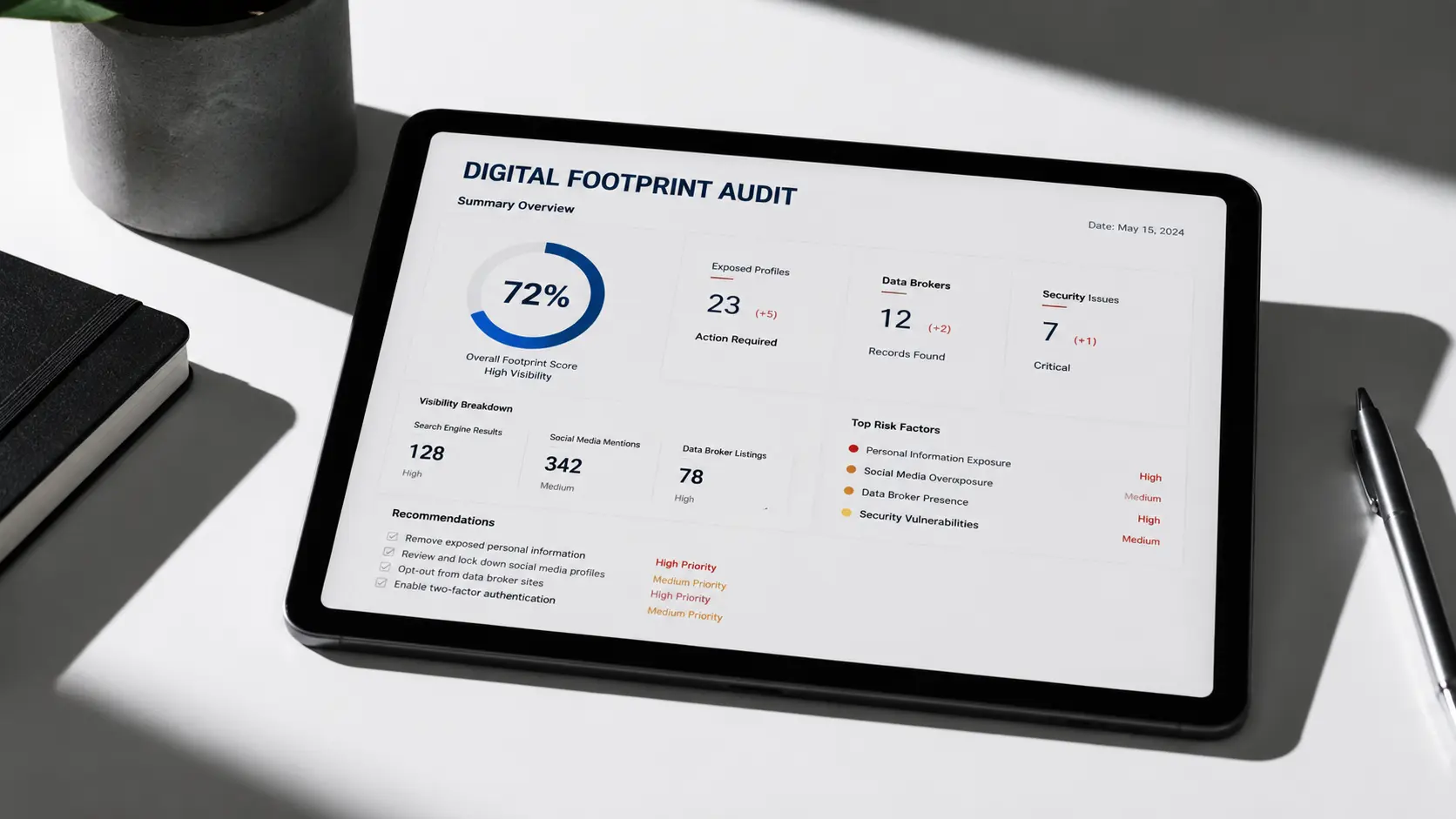
The first practical step is auditing what you left behind. You simply cannot fix what you cannot see. I will explain the difference between footprint types. I will also show how to uncover hidden companies. I will demonstrate how to find them in your inbox.
The Difference Between Active and Passive Footprints and How to Track Them
An active footprint includes everything you share intentionally. Posts, comments, and profile details definitely count toward it. You intentionally leave them online with complete awareness. A passive footprint collects data without direct consent. Websites actively track your browsing behavior through cookies. Ad networks build detailed profiles from this information. Start by typing your name into several search engines. Review both text results and image galleries carefully. Search using different name formats and common variations. Include old usernames and common variations as well. You will be genuinely surprised by what appears. This simple audit reveals the true scale of your impact. You likely control significantly less than you assumed.
Auditing Your Email Inbox to Discover Intrusive Companies
Your email inbox is a goldmine for advertisers. I used RECLAIM to speed up the detection process. The tool scans your first 2,500 Gmail messages. After authenticating with Google, the dashboard loads instantly. The automated scanning process begins immediately after setup. The application strictly reads basic metadata fields only. It checks dates, senders, recipients, and subject lines. It never accesses your actual message content. It flagged fourteen companies storing my personal data. I had completely forgotten about most of them. Some have not contacted me since 2016. They might be waiting for me to buy hosting. Read this comprehensive guide for deeper insights. It explains every step in careful detail. Once you identify these companies, identity masking tools make sense.
Best Technical Tools and Settings to Mask Your Identity

Once you locate your data leaks, reduce new footprints. The best method separates your real identity from daily activity. Reliable tools make this separation possible for everyone.
Creating Alternative Digital Identities with MySudo
The MySudo app lets you generate alternative digital identities. Tap Create New Sudo from the main menu. A setup wizard launches immediately for your convenience. Within minutes, you receive a virtual phone number. You also get a disposable email address. A virtual payment card appears as well. I used it to test client accounts safely. My real data remained completely hidden from view. I once forgot the app name I chose. I had to reset the password twice. I now maintain seven separate identities. This approach beats targeted ads on my main profile. It directly reduces the link between your activity and your core identity.
Configuring Browser Settings and Restricting App Permissions
Using a privacy-focused browser like Brave is a simple step. It integrates with Chrome, Edge, Firefox, and Safari. It runs smoothly on phones and tablets. Check your phone settings immediately after purchase. Navigate to the app permissions menu carefully. You will find apps requesting microphones and cameras. They will also ask for location access without justification. Restrict these permissions right away. This single action blocks massive amounts of silent tracking. Identity masking is now complete. Now you must secure your remaining original accounts.
Strengthening Account Security and Building Safe Browsing Habits

The best masking tools fail if your real accounts are breached. Security layers start with strong passwords. They end with conscious daily habits.
Managing Passwords and Enabling Two-Factor Authentication
A password manager generates unique credentials for every service. It stores them in encrypted vaults securely. This prevents the disaster of password reuse. Enable two-factor authentication on every supported platform. Prioritize your primary email account immediately. Two-factor authentication adds a verification step during login. It blocks attackers even if your password leaks. This combination is now a daily routine. My entire team follows this exact workflow.
Deleting Abandoned Accounts and Reducing Vulnerabilities
Unused accounts are silent vulnerabilities. Old forums, one-time shops, and forgotten services collect your data. Open the account settings immediately. Look for the permanent deletion option. Export any data you wish to keep. Then close the account completely. Fewer storage locations mean a smaller attack surface. This practice gradually redefines your relationship with the internet.
When I Created Seven Digital Identities to Test Client Apps
During web development projects, I registered dozens of test accounts. I used my real email initially. My inbox quickly became a notification graveyard. I implemented a dual workflow instead. I scanned emails with RECLAIM first. This identified companies linked to my data. I then created separate Sudo profiles for each service category. I linked every profile to a password manager. This prevented credential chaos completely. Unwanted messages dropped by sixty percent in two months. I recorded zero data leaks in monitoring reports. We sometimes plan integrated digital strategies for clients. You can read about our website design company strategies for more context. We embed privacy standards from day one. My key takeaway is simple. Tool quantity matters less than clear identity separation. Mixing personal and professional data creates real chaos.
Frequently Asked Questions
What is digital privacy and how does it affect daily life?
It is your ability to control personal data. You decide who accesses your information. It influences targeted ads and dynamic pricing. It also mitigates identity theft risks. This concept touches every single click you make.
Does protecting digital privacy require expensive fees?
Most foundational steps are completely free. Adjusting settings and restricting permissions works well. Using a browser like Brave covers significant ground. Advanced protection requires paid services. These tools are reliable but not mandatory for beginners.
What differs between standard browsers and privacy-focused ones?
Traditional browsers allow ad networks to track you. They build detailed consumer profiles automatically. Brave blocks trackers automatically. It encrypts traffic by default. Third parties cannot monitor your behavior. You retain all essential browsing functions.
How can I clean my digital footprint and delete old accounts?
Search your name across major engines. Review old subscriptions and forum profiles. Download any personal data you need. Navigate to account settings carefully. Select the permanent deletion option. Repeat this process every few months.
Are apps like Telegram and ProtonVPN completely safe for data protection?
They are reliable tools for reducing tracking. No single app guarantees absolute security. You must pair them with conscious practices. Enable two-factor authentication consistently. Avoid sharing sensitive details publicly. Update all applications regularly.
Conclusion
Digital privacy is not a wall built once. It is a garden requiring constant pruning. Yesterday’s digital habits become today’s vulnerabilities. Start with auditing. Move to masking. Finish with strengthening. These three layers restore your control. You never need to leave the internet. Tell me, which forgotten account surprised you most during your last search?
Discover more from أشكوش ديجيتال
Subscribe to get the latest posts sent to your email.
![7 فروق بين مقابلات الذكاء الاصطناعي والبشر [دليل التوظيف]](https://hcouchd.com/wp-content/uploads/2026/10/file_00000000edc481f694cecfb5a3f731e3-1024x576.webp)
![أتمتة المقابلات التقنية عبر الذكاء الاصطناعي [دليل عملي]](https://hcouchd.com/wp-content/uploads/2026/09/file_000000004e2881fd80ca5d541ab0de2b-1024x576.webp)
![تصميم أنظمة الذكاء الاصطناعي للتجارة بتدخل بشري [مع أمثلة]](https://hcouchd.com/wp-content/uploads/2026/09/file_00000000dfdc8230b71e09206ed024dc-1024x576.webp)